How to Print FESCO Demand Notice Online?
 ✓Fact checked by: Editorial Team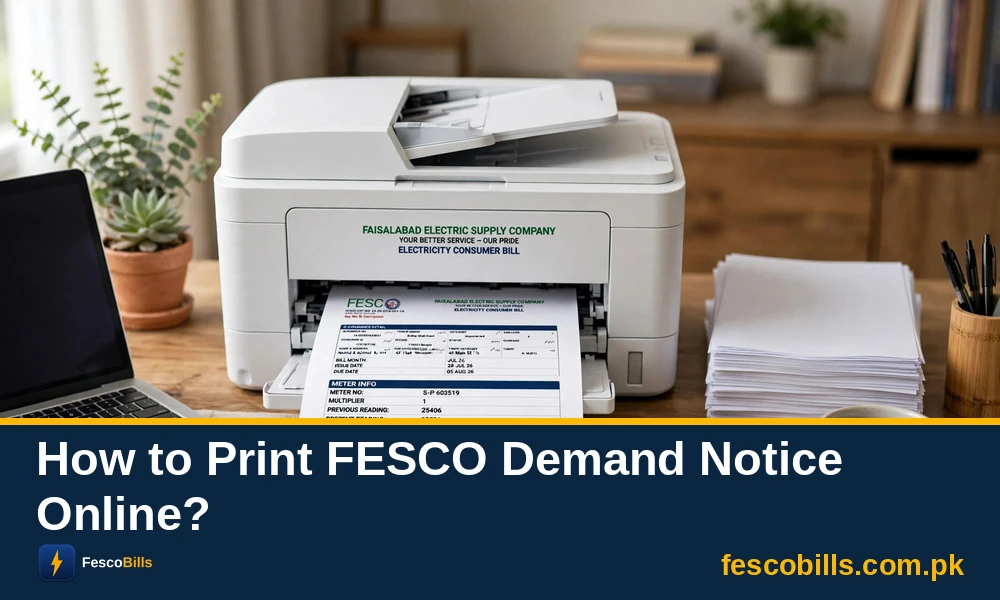
FESCO demand notice will only be issued after the approval of a new meter connection. You can not get this notice if your FESCO new meter connection application is pending or rejected. However, if your meter connection application is approved, then you can download your demand notice from the ENC web portal online.
This guide will explain how to download your demand notice from the ENC website and what to do next as well. So keep reading and get your FESCO connection without any interruptions.
How to Download FESCO Demand Notice?
You can download a PDF of the FESCO demand notice from the ENC portal, which is a dedicated official portal for new connections. Follow the steps below to download the demand notice.
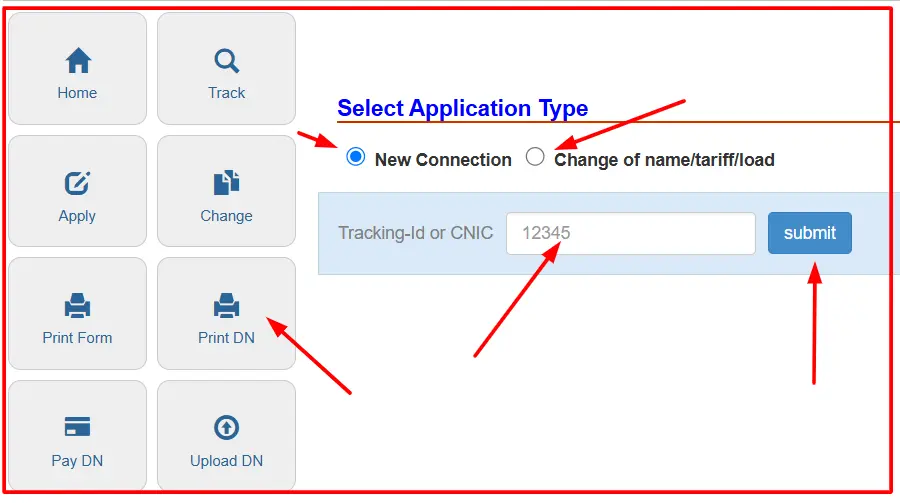
- Visit this webpage: https://fesco.enc.com.pk/ on your PC or laptop.
- Click on the “Print DN” labelled icon, which is the short name for the Print Demand Notice.
- On the next page, you need to choose your application type:
- New Connection
- Change of name/tariff/load
- Choose as per your need and proceed to the next step.
- The web page will ask you to enter your Tracking ID or CNIC, so enter either one.
- Click on the “Submit” button to download the demand notice.
How to Print FESCO Demand Notice?
You can print out the demand notice on your own device, like a laptop or PC, or you can get this service from a book depot as well. If you don’t have a printer, then don’t worry. You can visit a book depot or photostate shop and ask the shopkeeper to print out the notice for you.
Print On Your Own Printer
Open the demand notice on your PC or laptop and connect it to your printer. Print it on a plain A4 size paper and check that every detail is clear and readable, especially your name, tracking ID, and the total amount. Keep this printed copy safe, because you will take it to the bank for payment.
Print Via Book Depot or Photo Copier Shop
- Visit your nearest photocopier shop and bring your demand notice in your smartphone or USB device in PDF format.
- Now ask the shopkeeper to print out your notice form.
- The shopkeeper will take your smartphone or USB device and connect it with his system and print you form for you.
- The shopkeeper will take only Rs. 20 to Rs. 30 for this job.
F.A.Q
A demand notice is the official payment slip that FESCO issues after approving your application. It shows the security deposit and service connection charges that you have to pay at the bank before your meter is installed.
Your demand notice stays pending until FESCO verifies your documents and your application is approved, which can take up to 30 days for a normal home connection.
You can download the demand notice only after FESCO issues it, so first check your application status on the ENC portal and make sure you are entering the correct tracking ID or CNIC number.
Take the demand notice PDF on your smartphone or a USB device to any book depot or photostat shop, and they will print it for you for only Rs. 20 to Rs. 30.
Official sources & references
This guide was prepared and fact-checked against the following official sources:
- FESCO — Faisalabad Electric Supply Company
- PITC — Online Bill Portal
- NEPRA — National Electric Power Regulatory Authority